If you’re a marketing team working on localization and translation for your company, you might find yourself stuck. Has every content update turned into a developer ticket, and so you just stopped asking? That's the problem, and what platform can help you solve it matters more than which AI engine produces the cleanest translations.
When localization gets handed to engineering, it gets deprioritized when a critical customer bug pops up - which is reasonable for everyone but marketing. It’s important to keep in mind that the platform you pick either keeps your team in the workflow or hands it back to developers.
This guide is built for marketing teams who own the website. It ranks the best AI localization platforms on criteria that decide whether your team can run localization: consistency, human review, workflow automation, and publishing speed.
In a 2020 consumer language preference survey, CSA Research found 76% of online shoppers prefer to buy products with information in their native language. In the same survey, 40% said they will never buy from websites in other languages. The 8,709 respondents in 29 countries were consumers, so treat this as a B2C signal.
Most roundups of the best AI localization platforms rank tools by developer workflow, such as code commits and Git sync. This guide ranks them by marketing workflow instead: consistency, human review, workflow automation, and publishing speed. Those are the criteria that decide whether your team can run AI localization without a developer on every ticket.
What an AI localization platform should do
Translation alone is the part any standalone tool, such as Google Translate, can handle. The best AI localization platforms go further: they identify new content, translate it, route it through review, and publish it live without opening a ticket. They ground the AI in translation memory (a database of approved translations) and a glossary (a list of terms with locked translations).
AI is the easy part; detection, governance, review, and publishing are where teams lose time. If you evaluate platforms and only test the translation output, you'll miss the things that slow you down later. Our guide to AI translation explains how the engines themselves work.
How AI localization improves translation consistency
Yes, AI localization can improve translation consistency, as long as the AI is grounded in translation memory and glossaries. Without them, a model can translate the same headline two different ways on two pages. Your reviewers then fix the same phrase again and again.
Translation memory handles the repetition. Localize stores every approved translation, so the same phrase is never translated twice. When your pricing page and your onboarding flow share a sentence, the approved version carries over.
Glossaries handle brand terms. Localize glossary controls lock product names and campaign terms across AI and human translations in every language. For a marketing team, that means a product name or campaign line reads the same way in German as it does in Japanese.
Start with the terms that cause the most damage when they drift, such as product names and campaign taglines. Decide which ones stay in English and which get an approved translation, then lock both.
Turn on translation memory and glossary sync together, so AI drafts and human edits draw from the same approved source. You can see how Localize connects translation memory and review workflows before anything publishes.
Evaluation criteria for AI localization platforms
Website localization tools look alike on a feature page, so test them against the questions your team will actually face. Consistency, covered above, is the first of four criteria, and the sections below take the rest in turn.
CMS and help center coverage comes last because it decides whether a platform can reach your content at all. Use the sections below as a scorecard when you compare localization management tools. For each criterion, you'll find what to ask and how Localize handles it.
Human review workflow
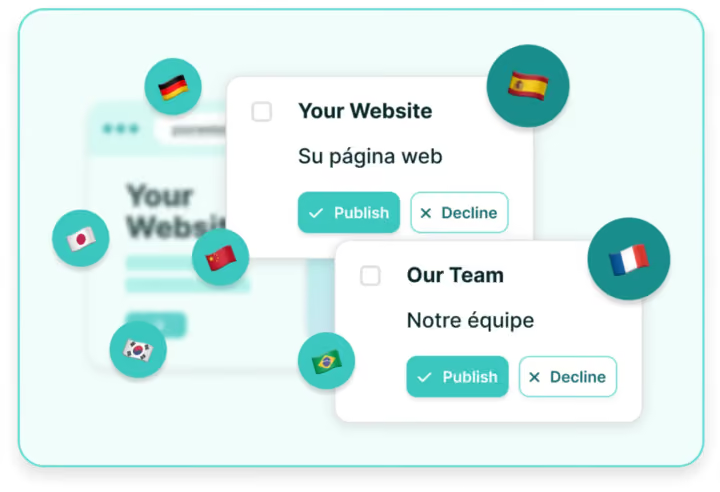
The localization automation tools that support human review well let you check translations in context and accept or reject them before they publish. You should also be able to invite your own translators and use quality scoring to route content to review.
Context is the part spreadsheets miss. A reviewer reading a string in a cell can't see that a German button label now overflows or that a headline lost its emphasis. Reviewing on the page shows those problems before your visitors see them.
Review routing matters more as AI use grows. The 2026 language industry survey from ELIS, the European Language Industry Survey, found language departments doubled their generative AI implementation from 30% to 64%. In the same report, only 23% of independent professionals rated machine output quality high or very high, down from 40% in 2025.
ELIS polled 1,058 respondents in 45 countries, mostly European language companies and freelancers, so these figures reflect professional opinion. Still, rising adoption paired with falling confidence is a good reason to keep people in the loop for content that carries your brand.
BSI publishes the ISO 18587 post-editing standard (2017), which sets requirements for full, human post-editing of machine translation output. It sets requirements for the post-editing process and post-editor competence, but it does not itself mandate human review of your content. It still gives you clear language for asking vendors how their review works.
In Localize, advanced workflows add optional in-progress quality reviews, so reviewers accept or reject translations before they publish. Reviewers work in the in-context On-Page Editor, editing on the live page with inline glossaries. Localize reports that teams translate up to 27% faster there and reduce review cycles by 32%.
You can invite your own translators into the same workflow, and you can turn AI off for content that needs a fully human pass. A practical approach is to let machine translation cover long-tail pages and reserve human review for higher-risk content such as announcements and legal pages. Write that split into your review policy so new team members follow it.
Workflow automation
Every platform in the table automates part of the workflow, so the useful question is what triggers translation. For developer-led tools, the trigger is often a code commit or a Git sync. For marketing-led tools, it is a page going live or content changing on your site.
The trigger decides who has to remember to start the work. When a code commit starts translation, changes your team makes in the CMS can sit untranslated until someone files a request.
Two more questions separate the options. Does the platform detect new and changed content automatically, or does someone have to export it first? And can you dial automation up for low-risk pages and down for a product launch?
Here is how that plays out. A help center update can run on AI with spot checks. A pricing page change during a launch goes to a named reviewer before it publishes.
The Localize AI Suite gives you two modes. AI Assistant produces first-pass translations and gives real-time quality feedback while you edit. AI Agent automates content setup and translation, then runs QA, and you stay in control of what it handles.
The suite includes real-time quality scoring and adjustable automation, so you decide how much runs without a person. You can also choose engines from Google, Microsoft, Amazon, Watson, or DeepL; Localize's translation methods and vendors page has the details.
Two policy details matter for budgets and legal review. AI translations are included at no charge with every Localize plan, so drafting long-tail pages with AI doesn't add a separate cost line.
Localize also does not use customer data to train AI models. That matters when your pages include unreleased product details or campaign copy you haven't announced yet.
Publishing speed for updates
How quickly automated localization publishes updates depends on the delivery method. File-based workflows wait on file handoffs and a code release, so a translated update ships only when engineering ships. Picture a campaign landing page whose headline your team rewrites twice in launch week, with each rewrite becoming another export and another release request.
JavaScript or proxy delivery publishes approved translations to the live site in real time, with no developer deploy. Localize works this way: you connect your site with one JavaScript tag, and Localize detects content automatically. Your team translates and reviews, and approved translations go live.
Localize's own comparison of the two methods puts JavaScript launches at under 4 weeks, compared with 12+ weeks for file-based projects. By the same Localize comparison, ongoing maintenance drops to about 10 minutes per week, compared with 10+ hours.
When you compare vendors, ask each one for the same two numbers: time to launch your first languages and weekly hours to keep them current. Those figures show the real cost of a delivery method better than a feature list does.
Fast publishing only pays off if visitors reach the right version. Google Search Central explains in Google's localized versions guidance that marking language versions helps Google Search point users to the most appropriate page. The same guidance says each version must list itself and all other versions, so ask each vendor how it maintains these annotations across your languages.
Google adds that localized versions count as duplicates only when the main content stays untranslated. Keep the main content of each locale translated and current, and confirm the platform translates more than the page template.
CMS and help center coverage
Your platform has to reach the systems marketing actually owns. Check native coverage for your website CMS and help center first, since a gap there sends work straight back to developers.
Localize works with WordPress, Webflow, Drupal, Contentful, Zendesk, and ReadMe, plus React-based web apps and headless CMS environments. That covers a typical B2B SaaS setup where a CMS runs the website and Zendesk or ReadMe runs the help center.
Ask about language coverage and analytics too. Per the Localize supported languages page, machine translation covers 115+ languages and human translation covers 80+. It also adds GA4 integration and browser language detection, so visitors land in their language and you can track each locale.
During evaluation, ask the vendor to show the integration running on your actual CMS and help center. Check that detection also picks up content outside the main page body, such as navigation menus and forms.
AI localization platform comparison
The table below compares six platforms that often appear in AI localization roundups. Columns follow the marketing criteria above, and competitor entries stick to high-level capabilities. Where we couldn't confirm a capability, the cell tells you to check it in a trial.
Read the table as a starting shortlist. The biggest differences show up in what triggers the work and how translations reach your site.
Lokalise and Crowdin sit closest to engineering, with Git-based workflows that suit teams shipping app strings. Phrase and Smartling lean toward enterprise translation operations, with quality scoring and provider workflows described in vendor materials.
Weglot and Localize both detect website content automatically for CMS-driven teams. Localize also lists React-based web apps and Zendesk and ReadMe help centers, so compare integration coverage against your own stack.
You won't find DeepL, Google Translate, or ChatGPT in the table. They are translation engines that produce text, and a platform like Localize can plug engines such as DeepL and Google into a managed workflow. If your team already trusts one engine's output, ask whether each shortlisted platform can use it inside its workflow.
How localization automation reduces translation workload
Localization automation reduces translation workload by removing the manual steps between a content change and a published translation. Automatic detection replaces copy-and-paste and file handoffs, because new and changed content enters the workflow on its own.
Consider a team running nine languages that edits ten sentences on its site in a week. Done by hand, that is ninety translations to request and paste back, and detection puts every one of them in the queue automatically.
Translation memory then reuses approved phrases, so your team spends time only on new text. AI produces the first draft of that new text, which means reviewers edit instead of translating from scratch.
That shift frees review time for high-risk content such as product announcements and legal pages, while long-tail pages run on AI. Localize says this approach can reduce developer effort by up to 70% and operational overhead by up to 50%.
Decide that split up front instead of page by page. List the page types you publish, mark the ones that carry legal or launch risk, and send only those to human review by default.
Localize's Code.org case study reports that the team cut localization cycle time by more than 50% using an AI-assisted workflow in Localize. The team also shipped updates in real time, and consistency across languages improved. You can find more examples in Localize customer stories.
How to choose an AI localization platform by team type
If marketing owns your website and help center, prioritize no-file delivery, in-context review, glossary locks, and CMS coverage. Those four let your team publish without opening a developer ticket. Localize built its localization tools for marketers around that model, so marketers can update copy and approve translations without developers.
If product and engineering teams ship app strings, look at tools built around Git sync, such as Lokalise or Crowdin. Their triggers match how developers already release code. If most of your content lives in a CMS, weigh that trigger against the workflow automation questions above.
If agencies or language service providers handle most of your translation, governance and vendor routing matter most. Phrase, with its provider workflows and quality profiles, and Smartling, with enterprise AI and human translation, fit that model.
Whichever way you lean, run a trial on your own content before you sign. Pick pages that change often, because a static page won't show you how the workflow handles updates. Use this checklist:
- Connect one live page and one help center article, then edit a sentence and time how long the translation takes to appear.
- Add five brand terms to the glossary and check that AI drafts and human edits both respect them.
- Ask a reviewer to approve or reject translations in context, without a spreadsheet or file export.
- Repeat a phrase on two pages and confirm that translation memory reuses the approved version.
- Ask how the platform maintains reciprocal hreflang annotations across all your languages.
- Confirm whether the vendor uses your content to train its AI models.
As you work through the list, note how much developer time each step needs. For a marketing-led team, the right platform keeps that number close to zero.
For the planning side, our marketing localization guide covers strategy beyond tool choice. Want help scoping a trial? Talk to an expert.